
How to Do An Effective Keyword Research
Keyword research is the first step in creating content that ranks well on search engines and reaches the right audience. Most people skip the SEO strategy and jump straight into tools for keyword research. Here is a quick roadmap to effective keyword research:
1. Start With Topics Your Audience Searches For
Think like your audience and identify what they are searching for and what problems they face in getting solutions, etc.
2. Use Keyword Tools to Find Ideas
Use a keyword research tool to discover search queries that people search for on search engines like Google and Bing.
3. Analyze Search Volume, Competition & Intent
You can use the filters given on the tools to set search volume, competition, and user intent to find keywords that are easy to rank for, bring traffic, and match your business goals.
4. Create Content That Solves the Problem
Make sure you write user-focused content, so it is important to directly address their queries in your content, whether it is a blog post or a landing page.
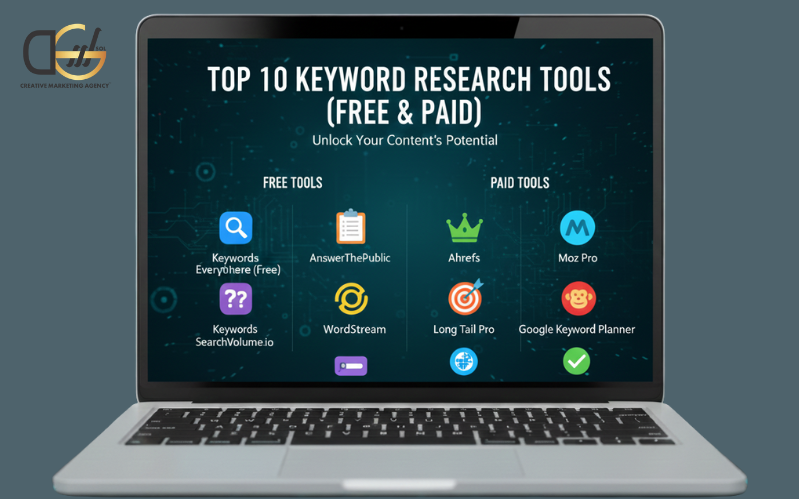
Top 10 Keyword Research Tools (Free & Paid)
1. Google Keyword Planner (Free)
What It Is:
Google Keyword Planner is a free tool from Google. It’s mainly for advertisers, but it’s also great for SEO keyword research.
What It Does:
It shows keyword ideas based on a word, phrase, or URL. You will see search volumes, competition levels, and suggested keyword alternatives.
How to Use It:
- Create a free Google Ads account
- Go to “Tools” and select “Keyword Planner.”
- Choose “Discover new keywords.”
- Enter your topic, website URL, or a keyword.
- Review keyword suggestions, search volumes, and competition.
Best For: It is best for beginners and businesses with a low or limited budget.
2. Google Search Console (Free)
What It Is:
Google Search Console helps you see how your site performs in Google Search.
What It Does:
It shows the keywords your pages already rank for, such as click-through rates, positions, and impressions.
How to Use It:
- Connect your website to Google Search Console.
- Go to the “Performance” tab.
- View queries to see what keywords your site ranks for.
- Look for keywords with lots of impressions but low clicks; these are good optimization opportunities.
Best For: It improves the existing content by targeting the right keywords and making it quality content.
3. Google Trends (Free)
What It Is:
Google Search Trends shows you what people search for on multiple social media platforms.
What It Does:
It helps you spot trending topics and see whether a keyword is becoming more or less popular.
How to Use It:
- Visit Google Trends.
- Type your keyword in the search bar.
- View the trend over time, by region, and related topics.
- Compare different keywords to see which is more popular.
Best for: Content planning based on what’s trending. Include it in your content to increase click-through rates and decrease bounce rates.
4. Keyword Surfer (Free)
What It Is:
Keyword Surfer is a free Chrome extension that shows keyword data directly in Google search results.
What It Does:
Without leaving Google, it gives you keyword suggestions, search volume, and on-page data.
How to Use It:
- Install the Keyword Surfer extension from the Chrome Web Store.
- Search for a term on Google.
- View keyword volume and similar keyword ideas on the right-hand side.
Best For: Get quick keyword ideas while browsing with this Chrome extension
5. AnswerThePublic (Freemium)
What It Is:
AnswerThePublic gives you limited free daily searches to find the questions people ask on Google.
What It Does:
It helps you to see what people want to know about a topic, organized by “who,” “what,” “when,” “why,” and “how.”
How to Use It:
- Go to AnswerThePublic.
- Type in a keyword or topic.
- View a visual map or list of real search questions and phrases.
- Use the questions to create helpful content.
Best For: It is the best tool for finding blog ideas and optimizing for long-tail keywords.
6. AlsoAsked (Freemium)
What It Is:
AlsoAsked pulls data from Google’s “People Also Ask” section and gives you trending ideas related to blog, article, or site content.
What It Does:
It shows the follow-up questions people often ask about a particular topic.
How to Use It:
- Visit AlsoAsked.com.
- Enter a keyword.
- Explore the branching questions that people ask related to that topic.
- Use these to plan content and FAQs.
Best for: It is the best tool for determining user thinking and building topical authority during seasonal periods.
7. Keywords Everywhere (Freemium)
What It Is:
Keywords Everywhere is a browser extension that shows search volume, CPC, and competition in real-time.
What It Does:
It adds keyword data to websites like Google, YouTube, and Amazon.
How to Use It:
- Install the extension from KeywordsEverywhere.
- Turn it on and search on Google.
- See keyword data directly on the search page, including suggestions and trends.
Best For: This is a free Chrome extension that you can use daily for keyword research across multiple platforms.
8. Ubersuggest (Freemium)
What It Is:
Ubersuggest is a keyword research and SEO tool by Neil Patel that provides you with the latest trends related to a particular search query.
What It Does:
It gives you keyword suggestions, search volume, competition, and SEO difficulty for your niche.
How to Use It:
- Go to Ubersuggest.
- Enter your keyword.
- Review keyword ideas, related terms, and content suggestions.
- Use SEO difficulty scores to choose the best keywords to target.
Best For: It is a good tool for all-in-one keyword and content planning for small businesses.
9. Semrush (Paid)
What It Is:
Semrush is a powerful SEO tool that professionals use for advanced keyword research.
What It Does:
It gives you deep insights into keyword rankings, competitors, traffic sources, and more.
How to Use It:
- Log in to Semrush (requires a paid account).
- Use the Keyword Magic Tool to get detailed keyword ideas.
- Analyze keyword difficulty, search volume, and trends.
- Spy on competitors’ top-performing keywords.
Best for: It is a paid tool best suited for agencies and advanced users who want to dominate SEO.
10. Ahrefs (Paid)
What It Is:
Ahrefs is another advanced SEO tool for competitor research analysis and in-depth keyword research.
What It Does:
It helps you to find keyword gaps, rank tracking, content ideas, and backlinks.
How to Use It:
- Log in to Ahrefs (a paid subscription is required).
- Use the Keywords Explorer tool.
- Enter your keyword and view difficulty, search volume, and top-ranking pages.
- Analyze what’s working and build better content.
Best For: It is for professional SEO teams and content marketers.
Why Keyword Search Volume Matters in SEO
Search volume tells you how many people search for a keyword each month. However, more volume does not always mean more value. A keyword with 10,000 monthly searches might be highly competitive and broad, while a term with 200 monthly searches could attract buyers ready to convert.
So it is necessary to use volume as a guide, not a goal. It is aimed at keywords with steady volume and clear intent.
Ways to Use Keyword Search Volume to Drive High-Intent Traffic
Here is a diverse way to use keyword search volume to drive high-intent traffic for your site.
- Target Significant Phrases like (Long-Tail Keywords)
Long-tail terms like “best SEO tool for small business” often have lower volume but higher conversion rates.
- Match Volume to Content Type
You can use high-volume keywords for evergreen content like guides, and low-volume terms for niche blog posts or FAQs.
- Combine Volume with User Intent
Do not follow the trend; only look for keywords that reflect a user’s intent to buy, subscribe, or take action.
Common Keyword Research Problems While Searching
Problem 1: Choosing Keywords That Are Too Broad
Solution: Try using a more specific keyword or term. Instead of “laptop,” try “best laptop for graphic design under $1000.”
Problem 2: Ignoring Search Intent
Solution: Determine what the user wants: information, a product, or a service, and create content that meets your business goal.
Problem 3: Repeating the Same Keywords
Solution: Use keyword variations and related terms to cover a topic thoroughly and avoid keyword stuffing.
Final Thoughts
Keyword research is more than typing words into a tool. It is about understanding your audience, solving their problems, and aligning content with user search intent. Keyword research tools, whether free or paid platforms, have everything you need to build an effective SEO strategy. DGSOL Creative, a digital marketing agency, helps businesses develop data-driven keyword strategies that improve rankings, attract qualified traffic, and drive real growth.
👉 Contact DGSOL Creative today and turn keyword insights into measurable SEO success.